
Set Up an External Secondary Monitor for My PC
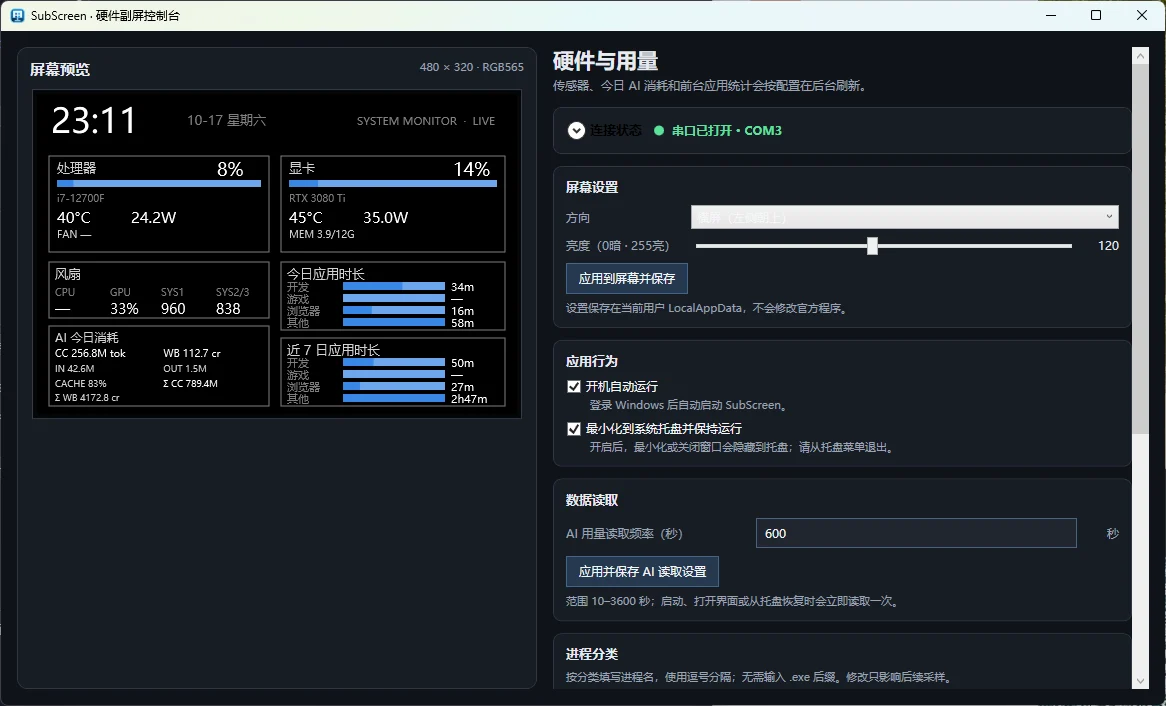
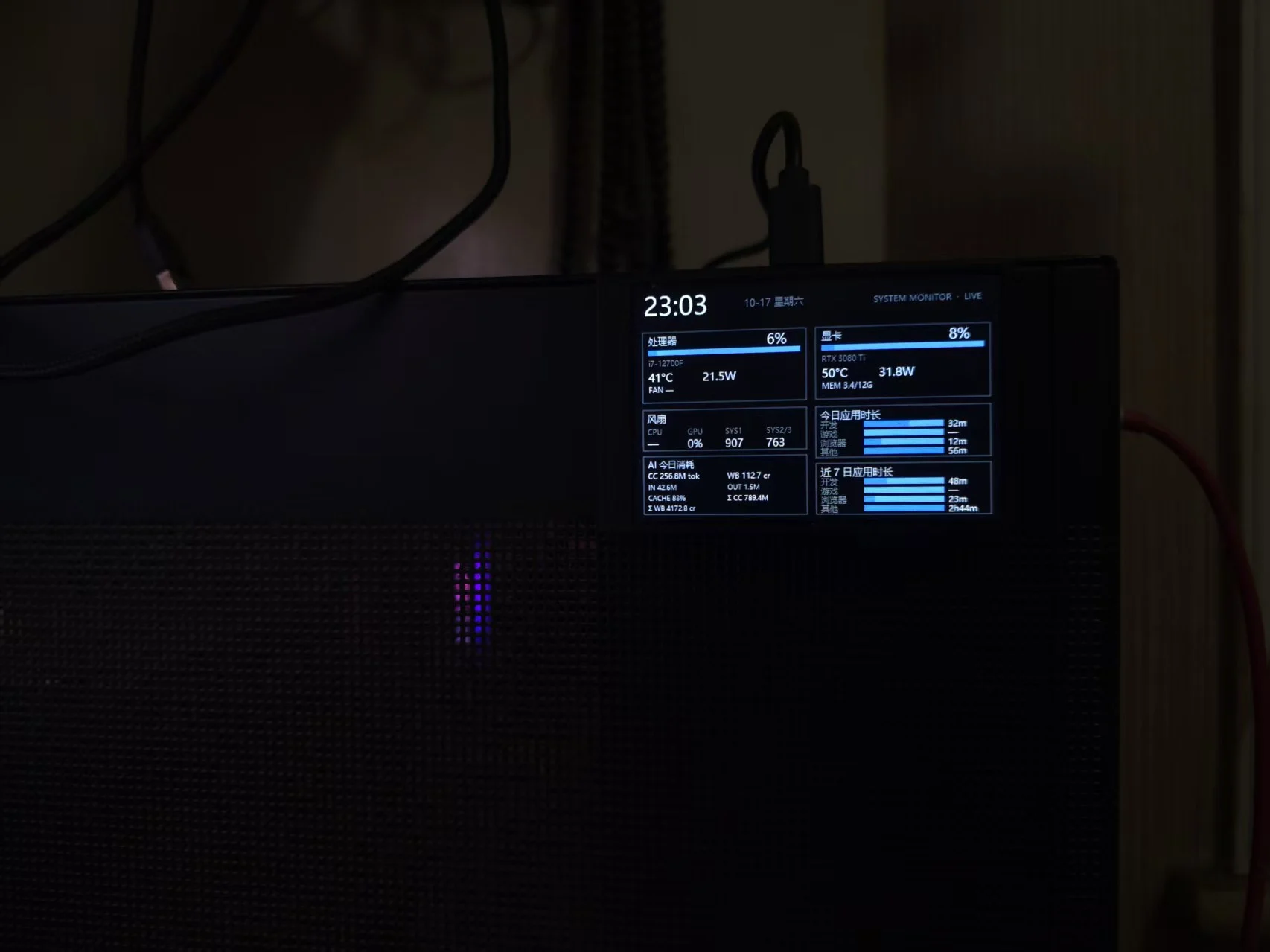
A long-idle LCD secondary monitor was reactivated. After spending quite a few tokens decompiling the driver, I wrote a custom backend to display hardware temperatures, AI usage, and daily software usage statistics.
A few years ago, I picked up a 3.5-inch LCD secondary screen — I think it was from Softlink — which came with companion software that could display CPU and GPU info (temperature, usage), as well as disk usage and network status.
I used it for about half a year before realizing it was pretty much useless, so I took it apart and let it sit idle.
I came across it again while cleaning yesterday and thought: what if I wrote my own backend and just used it as a display? I could show some basic system info and track what I actually do on my computer each day.
From drivers to interfaces, I spent ages decompiling with Claude's help — the token costs were almost as much as what I originally paid for the screen. But hey, no pain no gain. It cost a lot, but I finally got it working.
Now the external screen shows CPU and GPU info (I only really care about temperature), plus AI token usage tracking and daily software usage stats (broken down by software type, with usage duration).
Leave a note
Published Oct 17 ·
这个怎么做的?挺有意思,可以开源吗?